
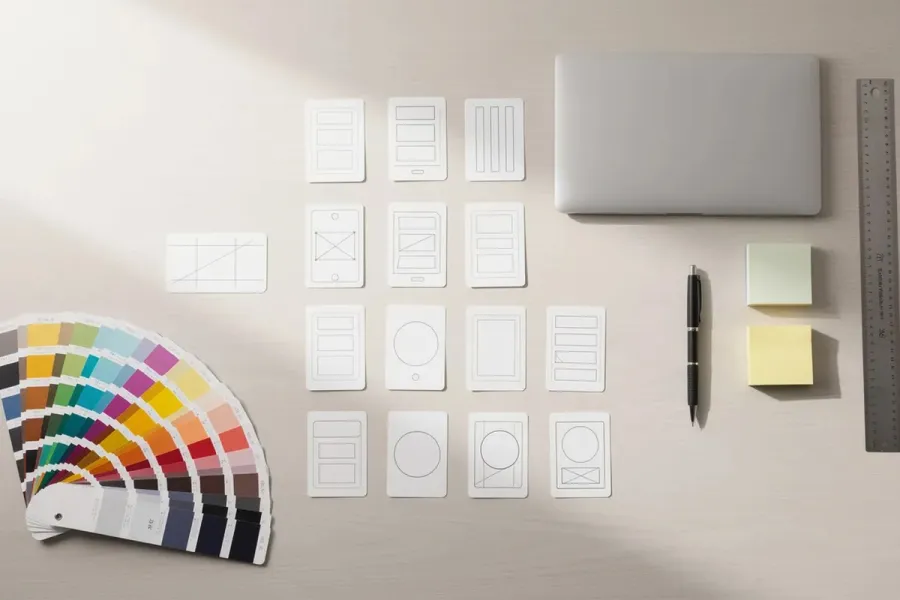
A pattern library gives a team a shared collection of reusable layouts and interface solutions instead of requiring designers, developers and content editors to recreate the same structures for every page.
WordPress provides much of the infrastructure needed to build this kind of library directly into the block editor. Block patterns can package frequently used combinations of blocks, while synced patterns can keep repeated content or layouts consistent across a site.
For agencies and teams managing larger sites, patterns can become more than a collection of convenient shortcuts. With clear naming, documentation and governance, they can form a practical pattern library that speeds up page building, reduces inconsistencies and makes established design decisions easier to reuse.
Key takeaways
- WordPress block patterns are predefined arrangements of blocks that can be inserted wherever they are needed.
- Standard patterns provide a reusable starting point, but once inserted their blocks can be edited independently.
- Synced patterns remain connected: changes to the pattern can update its instances throughout the site.
- Synced pattern overrides allow selected content to vary while maintaining a shared structure and design.
- Template parts serve a different purpose and are generally used for structural areas such as headers and footers.
- A useful pattern library needs more than patterns. Naming conventions, categories, documentation, accessibility requirements and governance help keep it manageable.
- A WordPress pattern library can become part of a broader design system, but it does not need to become one to be useful.
What is a pattern library?
In product and UX design, a pattern library is a structured collection of reusable solutions to recurring interface problems. It might document navigation systems, forms, cards, search interfaces, notifications, checkout steps and other patterns that appear repeatedly across a product.
A pattern library is related to, but different from, a component library. A button, input field or accordion can be a component; a search-and-filter interface that combines several components is a pattern.
The term needs a little qualification when discussing WordPress. A WordPress block pattern is usually a predefined composition of blocks: for example, an image with a heading and call-to-action button, a three-column feature section or an article header.
That makes WordPress block patterns particularly useful for reusable layouts and content structures. They overlap with the broader UX meaning of pattern libraries, but they are not identical. A complex interaction such as account recovery or a multi-stage checkout cannot necessarily be represented by a block pattern alone.
For the purposes of this article, a WordPress pattern library means a curated and documented collection of reusable block layouts and content structures that helps a site or group of sites maintain consistency.
Pattern library vs. style guide vs. component library vs. design system
These terms overlap, but they describe different things.
A style guide establishes visual and brand rules: typography, colours, spacing, imagery, logos, tone of voice and other presentation standards.
A component library contains reusable interface components. In a web application these might include buttons, inputs, tabs and accordions. In WordPress, individual blocks — whether supplied by WordPress, a plugin or a custom implementation — can play a similar role.
A pattern library shows how components can be combined into useful, repeatable structures or interactions. In WordPress, a collection of carefully designed block patterns can provide this layer for page layouts and editorial content.
A design system is broader. It can encompass design principles, tokens, style guidance, components, patterns, documentation and the processes used to maintain them.
A WordPress site does not need a comprehensive design system to benefit from patterns. For many sites, a well-maintained collection of reusable patterns is enough.
Why build a WordPress pattern library?
Without a shared library, the same layout is often recreated slightly differently each time it is needed.
One page may have a call-to-action with 40 pixels of padding while another uses 32. One editor may create a three-column feature section from scratch while another copies an old version from an existing page. Over time, small variations accumulate.
Common warning signs include:
- similar sections with slightly different spacing or typography;
- multiple versions of the same call-to-action;
- editors copying blocks from old pages to create new ones;
- developers repeatedly rebuilding familiar layouts;
- uncertainty about which version of a layout should be used;
- accessibility fixes that have to be repeated across many pages.
A pattern library provides approved starting points. Instead of deciding how a testimonial, article introduction, product feature or newsletter signup should look each time, editors can insert a pattern that already reflects the site's design conventions.
This is particularly useful for agencies and organisations managing many pages, multiple editors or several related sites.
Understanding WordPress patterns
Before creating a library, it is important to distinguish the different forms of reuse available in WordPress.
Standard patterns
A standard, non-synced pattern is a predefined arrangement of blocks.
Suppose a site has a pattern containing a heading, paragraph and two buttons. An editor inserts that pattern into a page and receives those blocks as editable content.
After insertion, that instance is independent. The editor can change the heading, delete a button or modify the layout. Changing the original pattern later does not retroactively change the blocks already inserted into pages.
This makes standard patterns ideal when you want a consistent starting point without requiring every instance to remain identical.
Typical examples include:
- hero sections;
- article introductions;
- feature grids;
- testimonial layouts;
- pricing sections;
- related-content sections;
- contact sections.
Synced patterns
Synced patterns are designed for content or structures that should remain connected wherever they are used.
Change the synced pattern and its connected instances update accordingly.
This is useful for elements such as a recurring promotional message, subscription call-to-action or other content that needs centralised management.
Synced patterns were previously known in WordPress as Reusable Blocks. The terminology changed as WordPress developed a more unified pattern-management system.
Synced patterns with overrides
Synced pattern overrides provide a middle ground.
The overall design and structure can remain synchronised while specified content can differ between individual instances. This makes it possible, for example, to maintain the design of a card or promotional section centrally while allowing its heading, image or other supported content to vary.
This is particularly valuable for larger editorial sites because it separates two concerns: the design that should remain consistent and the content that editors need to change.
Template parts
Template parts should not be confused with patterns.
They are intended for reusable structural portions of a site template, most commonly elements such as headers and footers. In block themes, template parts form part of the site's template architecture.
A useful rule of thumb is:
- Pattern: a reusable layout or content structure that can be inserted where needed.
- Synced pattern: reusable content or structure whose instances remain connected.
- Synced pattern with overrides: shared structure with selected content that can vary by instance.
- Template part: a reusable structural part of the site's templates.
Choosing the appropriate mechanism prevents a pattern library from becoming unnecessarily complicated.
Start with the existing site
The most useful pattern libraries usually emerge from real requirements rather than hypothetical designs.
Begin by auditing the site.
Look at the homepage, landing pages, articles, archive pages, product pages, forms and other important templates. Identify structures that appear repeatedly.
Pay particular attention to near-duplicates. You may discover six versions of an article teaser that differ only slightly, or several call-to-action sections that perform essentially the same job.
These are good candidates for consolidation.
For an existing WordPress site, inventory:
- registered patterns;
- patterns created by users;
- synced patterns;
- theme-provided patterns;
- template parts;
- recurring block combinations that editors currently copy manually.
Screenshots can make this process easier. Place similar sections next to one another and decide whether the differences are intentional or simply the result of pages having been built at different times.
Decide what should become a pattern
Not every collection of blocks deserves a named pattern.
A pattern earns its place in the library when it solves a recurring need.
For example, an editorial site might need patterns for article introductions, author biographies, related articles and newsletter calls-to-action. An ecommerce site might need product highlights, promotional sections and comparison layouts.
Name patterns according to what they do rather than how they happen to look. Names such as:
- Article author biography
- Three-column product comparison
- Newsletter signup
- Featured article grid
are more useful than:
- Blue section
- Pattern 4
- Three columns v2
Good names create a shared vocabulary among designers, developers and editors.
Organise patterns into categories
Once the library grows beyond a handful of patterns, organisation becomes important.
Categories might include:
- Heroes and page headers
- Editorial content
- Cards and grids
- Calls to action
- Forms
- Navigation
- Commerce
- Media
- Testimonials
- Footers
The categories should reflect the site's actual content rather than an abstract design methodology.
Atomic Design can be useful for thinking about the relationship between smaller elements and larger compositions, but WordPress editors usually benefit more from categories based on the job they are trying to perform.
The goal is simple: an editor who needs a particular layout should be able to find the appropriate pattern quickly.
Build brand rules into the patterns
A pattern library works best when editors do not have to remember every design rule.
Typography, spacing, colours and other global design decisions should be handled at the appropriate level, particularly through theme.json and the site's styles, rather than manually recreated inside every pattern.
Patterns can then concentrate on composition.
For example, a call-to-action pattern might define the relationship between its heading, text and buttons while the site's global styles determine the approved typography, button appearance, colours and spacing presets.
This separation makes patterns easier to maintain and reduces unnecessary duplication.
Accessibility should be part of the pattern
One major advantage of reusable patterns is also a potential risk: whatever you build gets repeated.
A well-designed accessible pattern can propagate good practices throughout a site. A badly constructed one can propagate the same accessibility problem dozens of times.
Patterns should therefore be checked for appropriate heading structure, keyboard accessibility where interactive elements are involved, sufficient colour contrast, meaningful link text and suitable alternative-text handling.
Complex interactive components should use appropriate semantic HTML and, where necessary, ARIA roles, states and properties. Native HTML should be preferred where it provides the required semantics and behaviour.
Accessibility requirements should also be documented where editors have responsibilities of their own. A media-card pattern, for example, cannot guarantee meaningful alternative text if the editor replaces the image.
Testing the pattern once does not eliminate the need to test pages, but it can prevent the same structural problems from being recreated repeatedly.
Document the library
A collection of patterns is more useful when people know when and how to use them.
Documentation does not need to be elaborate. For each important pattern, it can explain:
- Purpose: What problem does this pattern solve?
- Use when: In what situations should editors choose it?
- Avoid when: When is another pattern more appropriate?
- Editable content: What can editors safely change?
- Accessibility: Are there requirements for headings, links, images or other content?
- Status: Is the pattern current, experimental or being phased out?
A small team may keep this information in internal documentation. Larger organisations may integrate documentation into a broader design system.
The important point is that the intended use should not exist only in the memory of the person who created the pattern.
Establish ownership and governance
Pattern libraries need maintenance because sites change.
New requirements appear, brand styles evolve and WordPress itself gains new capabilities. Without some form of ownership, duplicate and obsolete patterns can accumulate.
Governance can remain lightweight.
A small team might simply agree that new patterns require design and technical review before being added to the shared library. A larger organisation may have a formal proposal, testing and approval process.
It is useful to establish who can:
- propose a pattern;
- approve it;
- modify an existing pattern;
- mark a pattern as deprecated;
- remove obsolete patterns.
Changes to synced patterns deserve particular care because they can affect existing content immediately.
Managing patterns across multiple sites
For agencies and organisations maintaining multiple WordPress installations, patterns can also provide consistency between sites.
Patterns that belong specifically to a theme can be registered with that theme. Patterns that need to be available independently of a particular theme may be better distributed through a dedicated plugin.
The distinction matters.
If a pattern is inseparable from a particular visual design, keeping it with the theme may make sense. If it represents functionality or a reusable organisational standard that should survive a theme change, a plugin may be more appropriate.
In a multisite or multi-brand environment, the same underlying pattern structure can sometimes be shared while individual sites obtain their visual treatment from their own theme.json configuration and styles.
This allows reuse without requiring every site or brand to look identical.
Patterns and the wider design system
A WordPress pattern library does not need to become a full design system.
For some organisations, patterns are simply an efficient way to build pages consistently. That may be all that is required.
For others, the library can become one part of a broader system.
Repeated design decisions found in patterns may eventually be formalised as design tokens. Common components may become custom blocks. Accessibility requirements can become shared standards. Contribution and deprecation procedures can develop into formal governance.
WordPress's theme.json already provides a useful mechanism for centralising many design decisions, including typography, colour, spacing and other settings. Patterns can build on those foundations rather than duplicating them.
The result can be a layered system:
global design rules → blocks → patterns → templates
Each layer handles a different kind of reuse.
A practical workflow for creating a WordPress pattern library
There is no need to design the entire library before using it.
Start with the layouts that are already repeated most frequently.
First, audit representative pages and identify repeated structures. Group near-duplicates and decide which versions should become the standard. Rebuild those structures using the site's approved blocks and global styles.
Then decide how each should behave. Should insertion simply provide editable starter blocks? Use a standard pattern. Should every instance remain identical? Consider a synced pattern. Should the design remain synchronised while some content changes? Consider a synced pattern with overrides. Is it actually part of the site's template structure? It may belong in a template part instead.
Give each approved pattern a clear name and category, document its purpose and test it on different screen sizes.
Only then add it to the working library.
This incremental approach allows the library to grow from actual editorial needs rather than from assumptions about what editors might eventually use.
Common mistakes
One common mistake is creating too many patterns. If editors have to choose between twelve almost identical hero sections, the library has simply moved the inconsistency problem into the editor.
Another is embedding design decisions in every individual pattern instead of relying on global styles. This makes later changes unnecessarily difficult.
Patterns should also not be created only from desktop mock-ups. They need to work responsively and with real content, including unusually long headings, missing images and other situations that tidy design prototypes may not show.
Accessibility cannot be treated as a later clean-up exercise. Reusable structures should be tested before they are propagated throughout the site.
Finally, avoid treating the library as finished. Patterns that are no longer useful should be revised or retired rather than preserved indefinitely.
FAQ
How big does a team need to be before a pattern library is useful?
Team size is less important than repetition.
Even a single person maintaining a substantial WordPress site can benefit from patterns if the same layouts are being recreated repeatedly. For a small site with only a handful of pages, a formal library may be unnecessary.
Start with a small number of patterns that solve genuine recurring needs and expand the collection only when there is a reason to do so.
Do I need both a pattern library and a component library?
Not necessarily.
WordPress already supplies a substantial collection of blocks, and themes and plugins may add others. Many sites can build an effective pattern library by composing those existing blocks rather than developing a custom component library.
Custom blocks become more relevant when the available blocks cannot provide the required functionality, data structure or editorial controls.
How often should a pattern library be updated?
There is no universal schedule.
Review patterns when site requirements change, when editors repeatedly encounter problems, when design standards are updated or when new WordPress capabilities provide a better way to implement an existing pattern.
Periodic reviews can also identify duplicates and patterns that are no longer being used.
Can one pattern library be shared across multiple brands or sites?
Yes, but sharing the structure does not necessarily mean sharing the visual presentation.
Organisations can maintain common patterns while allowing individual brands or sites to control typography, colours and other presentation rules through their themes and global styles.
Patterns intended for distribution across sites can also be registered through a plugin when that is more appropriate than tying them to a particular theme.
Where are WordPress patterns managed?
On a block-theme site, patterns can be managed through the Site Editor under Appearance → Editor → Patterns. Patterns can also be registered by themes and plugins.
The available management interface and capabilities depend partly on the site's theme and on how the patterns were created.
Building consistency without building everything twice
A useful WordPress pattern library does not need hundreds of patterns or the infrastructure of a large corporate design system.
It needs a carefully chosen collection of structures that solve real, recurring problems.
Start with what the site already repeats. Consolidate unnecessary variations. Decide which layouts should simply provide a starting point and which need synchronisation. Put global design decisions in global styles, document how important patterns should be used and retire patterns that are no longer useful.
Done well, the result is not just faster page building. Designers, developers and editors work from the same set of established solutions, while WordPress handles much of the reuse that previously depended on copying blocks from one page to another.