
There are roughly 4.6 million active podcasts worldwide in 2026, and the space is still growing. Whether you want to build a brand, share expertise, or turn a hobby into a side income, this guide walks you through every step to start a podcast - from defining your concept to publishing your first episode and growing an audience.
- You can start a podcast in a weekend using budget recording equipment, free editing software, and a beginner-friendly podcast hosting service - podcasting can start with equipment costing as little as $60.
- Choosing a sustainable podcast topic, podcast format, and realistic episode length matters more than perfect gear. Pick a subject you can discuss for 100+ episodes.
- You must use a podcast host to generate an rss feed and distribute podcast episodes to apple podcasts, Spotify, and other podcast directories.
- Video podcasts are exploding - roughly 72% of shows launched in the past year include a video version - so decide early if you want to record video.
- You can start a free podcast today, then upgrade gear and workflow later as your own podcast grows.
Why start a podcast
Now is one of the best times to launch. There are 144 million monthly podcast listeners in the U.S. alone, up 6.4% year over year. Podcast ad revenue in the U.S. hit about $4.8 billion in 2026. Better tools, cheaper gear, and expanding podcast platforms make entry easier than ever.
- Podcasts build trust and long-form connection with a target audience in ways that short-form social content cannot. A 30-minute conversation creates familiarity that a 60-second reel never will.
- Common goals for starting a first podcast include growing a business, building a personal brand, sharing a hobby like Dungeons & Dragons or marathon running, or documenting a personal journey in 2026.
- Technical barriers are lower than ever. Affordable recording equipment, free podcast hosting service options, and intuitive audio editing software mean you can produce a real podcast from your bedroom.
- The rest of this guide is a practical, no-fluff roadmap that gets you from idea to first published episode as quickly as possible. No filler, just the steps.
Step 1: Define your podcast concept, audience, and format
This is the most important decision you will make, and you should complete it before buying any equipment. Launching a podcast involves planning the concept and securing a hosting platform - gear comes second.
- Choose a podcast topic you can talk about for at least 100 episodes. Create a list of 25 episode ideas to test your topic before committing. Concrete niche examples: "remote work for parents," "Premier League tactics," or "beginner woodworking projects." Defining a niche is crucial for podcast success.
- Define your ideal listener in one sentence. For example: "Mid-career professionals who want to transition into freelancing but don't know where to start." Narrow your podcast topic to attract a specific audience rather than trying to appeal to everyone.
- Pick a podcast format that matches your strengths. Common podcast formats include solo, co-hosted, and interview shows. Your podcast format influences preparation, recording, and audience engagement. Interview podcasts can help attract new listeners through guest sharing, since guests often promote appearances to their own followers.
- Decide on a rough episode length and release cadence you can sustain for at least 6–12 months. Podcast episodes can range from under five minutes to several hours long, but beginners usually find a sweet spot between 20 and 40 minutes. Weekly publishing is recommended to build a connection with listeners.
- Plan early whether you want audio-only or video podcasts. This decision affects your recording setup, editing workflow, and which podcast platforms you prioritize (YouTube is now the number-one platform for podcast discovery among U.S. listeners aged 18–34).
- Research competition in your podcast genre before finalizing a topic. Search apple podcasts and Spotify for similar shows. If the space is crowded, find your unique angle. Choose a podcast topic you can commit to long-term, not just a trending subject that will burn out in three months.
Choose a podcast name that's clear and searchable
A descriptive, memorable podcast name helps discovery on apple podcasts and Spotify search. Your podcast title is often the first thing potential listeners see, so make it count.
- Strong example titles: "Running After 40," "Climate Tech Today," "The Side Hustle Kitchen." These work because they immediately tell a listener what the show is about and who it's for.
- Check that the podcast name isn't already used in major podcast directories. Search apple podcasts, Spotify, and YouTube. Also verify that a matching domain or social media handle is available.
- Balance creativity and clarity. Avoid inside jokes or vague one-word names for a new podcast. If someone can't guess the topic from the title, you'll lose clicks.
- Add a short tagline in your podcast artwork and podcast description to clarify the promise of the show. Example: "Running After 40 - Training tips for the over-40 athlete."
Decide on your podcast format and episode structure
Your podcast format influences preparation, podcast recording style, and editing time. Choose wisely and you'll save hours every week.
- Main formats and trade-offs:
- Solo/monologue: Easiest to schedule, hardest to sustain energy. Great for teaching.
- Co-hosted: More dynamic, but requires coordination between two people.
- Interview: Brings fresh perspectives and built-in promotion through podcast guests, but requires scheduling and extra editing.
- Panel/roundtable: Engaging but technically complex (multiple audio tracks).
- Narrative series: High production value, heavy research and scripting required.
- Beginners should start with simpler formats - solo or co-hosted - before adding frequent podcast guests or complex storytelling.
- Design a repeatable episode structure to make editing faster. Example flow: cold open → intro music → main segments → call-to-action → outro. This consistency also helps repeat listeners know what to expect.
- Format and episode length affect listener retention directly. Data shows that only about 31% of episodes over 60 minutes get completed, so match your structure to your content density.
Step 2: Plan your first 10 episodes
Planning multiple episodes upfront prevents "podfade" - the common pattern where shows die after seven episodes because the creator ran out of ideas or energy. Creating a content calendar helps in planning podcast episodes and keeps you on track.
- Use a simple spreadsheet or notebook with columns for episode title, episode length, guest (yes/no), and publish date. This doesn't need to be fancy.
- Brainstorm at least 20 episode ideas, then select 8–10 strong, focused topics for the first three months. Aim for a topic with over 100 potential episodes to confirm your niche has legs.
- Mix evergreen topics (e.g., "how to choose a marathon training plan") with timely episodes (e.g., "2026 Paris Olympics recap"). Evergreen content catches steady search traffic; timely content gives you relevance.
- Decide which episodes will feature podcast guests early on. Guest episodes require more prep time - scheduling, research, test calls - so don't overload your first few episodes with interviews.
- Launch with a short trailer episode plus 2–3 full podcast episodes live on launch day. This gives new listeners a chance to binge and understand your voice before subscribing.
Outline your pilot and introduction episode
Your first episode should clearly introduce the host, audience, and future content. Think of it as a handshake with your potential listeners.
- Keep the pilot to 10–20 minutes so new listeners can sample the show easily. Shorter is better for a first episode than a sprawling 90-minute debut.
- Include specific talking points: who you are, what the show is about, who it's for, what the podcast format will be, and how often new episodes drop.
- Use a light script or bullet-point episode outline rather than word-for-word scripting. Reading from a full script sounds stiff. Bullet points keep delivery natural while preventing rambling.
- End with a simple call-to-action: follow the show, share with a friend, or answer a question on your social media accounts.
Step 3: Choose your recording equipment and environment
You do not need a professional studio to start a podcast. Many of the most successful podcasts began with basic setups. The trade-offs between a "$0 setup" and pro gear come down to audio quality, convenience, and how long you plan to keep going.
- Three tiers of equipment: | Tier | Budget | What you get | |---|---|---| | Starter | $0–$60 | Smartphone mic, wired earbuds, free editing software | | Sweet spot | $100–$200 | USB dynamic mic (e.g., Samson Q2U), basic stand, closed-back headphones, pop filter | | Pro | $500+ | XLR microphone, audio interface, acoustic treatment, dedicated headphones |
- Essential hardware: a podcast microphone, closed-back headphones (which prevent audio bleed during recording), a mic stand or boom arm, a pop filter, and optionally an audio interface for XLR setups.
- Recording in a quiet space minimizes audio echo during podcasts. Choose a soft-furnished room - a bedroom, walk-in closet, or home office with rugs and curtains. Turn off fans, AC, and laptop notifications during podcast recording.
- Simple acoustic treatment like blankets, rugs, and bookshelves makes a noticeable difference in reducing background noise and echo. You don't need professional foam panels to get started.
Starter setups: from free to pro
You can upgrade slowly, starting with what you already own. The goal is to record high quality audio without waiting for the "perfect" setup.
- $0 setup: Use a recent smartphone, wired earbuds with a built-in mic, and free editing software like Audacity or GarageBand. Limitations: lower audio quality, limited control over background noise, no multi-track editing. But it works to test your concept.
- $150–$200 sweet spot: The Samson Q2U microphone costs about $70, and USB microphones are affordable and easy to use - plug directly into your laptop with no extra hardware. Add a basic boom arm ($20–$30), a pop filter ($10), and closed-back headphones ($40–$60). This setup produces noticeably better audio quality.
- $500+ level: XLR microphones (like the Shure SM7B), an audio interface, and basic acoustic panels. This makes sense for creators committed beyond 20+ episodes who want broadcast-quality sound.
- Avoid overinvesting before confirming your podcast concept and schedule are sustainable. Podcasting can start with equipment costing as little as $60. A good podcast mic matters, but content matters more.
Recording equipment tips for video podcasts
Video podcasts need extra planning but can dramatically improve discoverability on YouTube and Spotify. About 84% of growing shows publish vertical video clips weekly.
- Start with a 1080p webcam or modern smartphone on a tripod plus a simple softbox or ring light. You don't need a cinema camera.
- Position the camera at eye level for a natural look. Keep the background clean and uncluttered - a plain wall, bookshelf, or simple backdrop works well.
- Keep audio quality the priority. Never rely on camera microphones. Use an external podcast microphone so your show sounds professional regardless of how it looks.
- Record separate audio and video tracks to make editing and syncing easier. This gives you flexibility in post-production and prevents audio issues from ruining your video.
Step 4: Select your editing and recording software
In 2026 there are both free and paid tools that make editing accessible to beginners with zero prior experience.
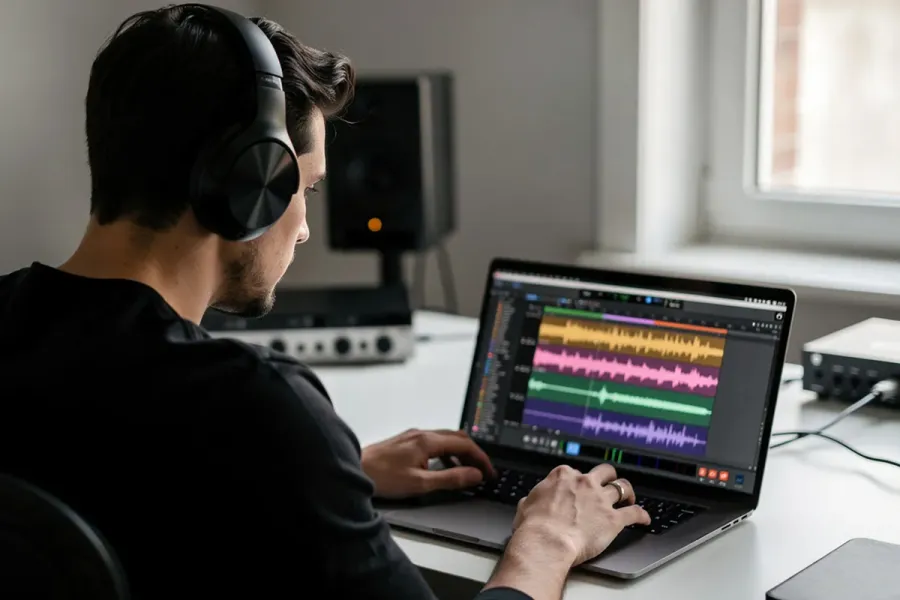
- Choose a DAW (digital audio workstation) as your core editing software. Audacity is a free audio editing software for podcasters and works on Mac, Windows, and Linux. GarageBand is free on Mac. Reaper offers a generous trial and costs $60 for a personal license.
- Browser-based or AI-assisted podcast software is growing in 2026. Some tools combine podcast recording, transcription, and basic editing in one interface, which simplifies the workflow for solo creators.
- Multi-track editing lets you edit each speaker independently - essential for co-hosts and podcast guests. Single-track editing is simpler and fine for solo shows.
- Practical tips for first-time editors:
- Cut long pauses and obvious mistakes, but don't over-edit natural conversation.
- Normalize volume so your voice stays consistent throughout the episode.
- Apply light noise reduction and EQ only as needed - heavy processing often sounds worse than the original.
Recording solo and remote interviews
Recording locally on your own device gives you the best audio quality. Cloud-based recording software adds convenience for remote interviews but introduces internet dependency.
- Solo podcasters should record directly into their editing software or a dedicated recording app set to 44.1 kHz / 16-bit WAV. This captures high quality audio without compression artifacts.
- For remote interviews, use dedicated call recording software designed for podcasters instead of generic video call platforms. These tools record each participant's audio locally, resulting in cleaner files.
- Perform a short test call with each guest to check mic quality, internet stability, and background noise before the real interview. Five minutes of testing saves hours of unusable audio.
- Record backup audio (e.g., a phone voice memo in the same room) for important or hard-to-reschedule remote interviews. Redundancy prevents disaster.
Step 5: Record and edit your first episodes
Feeling nervous before your first podcast recording is completely normal. Focus on progress over perfection - your tenth episode will be noticeably better than your first, and that's expected.
- Pre-record checklist: silence your phone, close unnecessary apps, position the mic a fist-length from your mouth, and check input levels. These small steps prevent the most common audio problems.
- Use a bullet-point episode outline to maintain flow and avoid going off on tangents while still sounding natural. Don't read from a script word-for-word.
- Aim for a target episode length range: 20–30 minutes for solo episodes, 30–60 for interviews. But let the content dictate the final length rather than padding or cutting valuable insights just to hit an exact number.
- Basic editing workflow:
- Import audio files into your editing software.
- Cut errors, tighten pauses, and remove distracting "ums."
- Apply light noise reduction and EQ.
- Add intro/outro podcast music.
- Export your edited podcast as a .WAV file before publishing to preserve quality, then create an MP3 at 128–192 kbps for upload.
- Add correct metadata: episode title, episode number, and podcast name.
Working with podcast guests effectively
Thoughtful guest management makes interview podcasts smoother, more engaging, and more likely to produce shareable content.
- Create a simple guest brief outlining your target audience, podcast format, recording date, and suggested episode length. Send this at least a week before recording.
- Prepare 8–12 open-ended questions plus a few follow-up prompts rather than a rigid script. Open questions generate better conversation and more valuable insights for listeners.
- Obtain guest consent for recording and distribution, ideally via a short email confirmation before the session. This protects both you and the guest.
- On release day, send guests the episode link and shareable assets - audiograms, quote graphics, short clips. Interview shows can help attract new listeners through guest sharing, since guests naturally promote their appearances.
Step 6: Set up podcast hosting and publish your show
You cannot upload audio directly to apple podcasts or Spotify. A podcast needs a "home" on the internet for distribution, and that home is your podcast hosting service.
- A podcast host stores your audio files, generates an rss feed, and distributes your podcast episodes to listening apps and podcast directories. Think of the host as your podcast's content delivery backbone.
- What to look for in a host in 2026: easy episode upload, analytics (downloads, listener location, device breakdown), support for both audio and video podcasts, and free or low-cost starter plans. Free hosting options like Buzzsprout's free tier and RSS.com offer genuinely useful starting points, though free plans typically cap storage and limit analytics.
- Step-by-step setup:
- Create a free account on your chosen podcast hosting service.
- Add show details: podcast title, podcast description, language, and category.
- Upload your podcast cover art sized 3000 x 3000 pixels. Engaging cover art attracts listeners to a podcast - it's the visual equivalent of your first impression.
- Upload your first episode with its episode title, episode description, and relevant tags.
- Submit your rss feed to major podcast directories.
- Submitting an rss feed to directories is necessary for distribution. If your host doesn't auto-submit, manually submit to apple podcasts, Spotify, Amazon Music, and YouTube Music. Podcasts listed in apple podcasts account for 32.5% of downloads, so don't skip this step. Submit your podcast to apple podcasts for wider reach.
- Typical approval timelines: Spotify often approves the same day; apple podcasts can take up to a few days. Once your show is live, search for it in each podcast app to confirm everything displays correctly.
Create effective show and episode descriptions
Descriptions help both search engines and human listeners understand your show. A well-written podcast description improves discoverability and click-through rates.
- Write a clear, benefit-driven show description in 2–4 short paragraphs. Naturally mention what listeners will learn, who the show is for, and why it's worth their time. Think of it as the pitch for your own podcast.
- Include 3–5 keywords in each episode description - guest name, topic, niche terms, and episode length hints - without keyword stuffing.
- Add links to resources, your podcast website, newsletter, and social media channels in each episode's show notes. If you don't have a separate podcast website yet, your host-provided page works fine at launch.
- Use a consistent template for episode titles. Example: "Ep. 04 – How to start a free podcast in 2026 with just your phone." Consistency helps repeat listeners scan your feed quickly.
Step 7: Launch strategy and first 30 days promotion
Launch is not just pressing "publish." It's planning how people will actually discover your new podcast. A strong first 30 days sets the trajectory for months to come.
- Launch with a trailer plus 2–3 full episodes to encourage binge listening and give a clear sense of the podcast format. Publishing your first few episodes simultaneously lets new listeners decide if your show is worth subscribing to.
- Simple 30-day promotion plan: | Week | Action | |---|---| | Week 1 | Announce launch on all social media accounts and email. Ask friends and family to follow, rate, and review. | | Week 2 | Share behind-the-scenes clips, quote graphics, or short vertical videos from your episodes. | | Week 3 | Publish a new episode and repurpose it into 2–3 short clips for TikTok, Instagram Reels, and YouTube Shorts. | | Week 4 | Engage with listener comments, ask for topic suggestions, and plan the next month's content. |
- Ask friends, colleagues, or early listeners to follow, rate, and review the show in the first week to build social proof. Early ratings improve visibility in apple podcasts rankings.
- 42% of people find new shows through social media. Posting episodes on social media can attract ten new listeners per post - modest but cumulative. Repurpose audio into short clips, quote images, or short vertical videos.
- Focus on a specific niche community rather than chasing global charts. Cross-promotion with other creators can expand your audience. A shout-out from a podcaster in your niche is worth more than a generic ad to a broader audience.
Ongoing promotion and growth habits
Growth comes from consistent publishing plus consistent outreach. Publish your podcast episodes consistently to build an audience - sporadic releases kill momentum.
- Weekly habits: engage with podcast listeners in DMs or comments, answer questions, and ask for feedback on episode length and topics. Creating a newsletter can enhance audience engagement and retention beyond the podcast app.
- Collaborate with other podcasters in your niche through guest swaps, panel episodes, or shout-outs. These partnerships introduce you to warm audiences who already listen to similar content.
- Track simple metrics in your hosting dashboard - downloads per episode, completion rate, and top listening apps - to refine strategy. Don't obsess over numbers in the first three months; focus on trends.
- Experiment with small format tweaks: a new segment, shorter intros, a different release time. Monitor how your audience responds over 4–6 weeks before making permanent changes. Many episodes of data beat one week of guessing.
Step 8: Monetization and long-term sustainability
Most new podcasts should focus on quality content and consistency before expecting significant income. Revenue follows audience, not the other way around.
- Common monetization avenues once you have steady downloads:
- Sponsorships and ads: The average podcast advertising rate is $18 CPM for 30-second ads.
- Affiliate marketing: Many podcasters start with affiliate marketing to generate income early, since it requires no minimum audience size.
- Listener support: Platforms like Patreon or direct donations.
- Paid memberships and premium subscriptions: Spotify's Partner Program allows creators to earn from ads and subscriptions.
- Digital products: Courses, ebooks, merchandise. Podcasters can also monetize through merchandise sales and premium subscriptions.
- Realistic timelines: often 6–12 months of consistent publishing before brands consider ad deals for a small but engaged audience. Podcasters can earn revenue through sponsorships and affiliate marketing, but patience is required.
- Choose ad placement carefully. Pre-roll ads are easiest to produce; mid-roll ads often pay better but need smooth integration; post-roll ads have the lowest engagement. Too many interruptions hurt listener experience and retention.
- Non-financial sustainability matters just as much:
- Batch-record 2–4 episodes at a time to reduce setup overhead.
- Take seasonal breaks and communicate them to listeners.
- Maintain a content calendar to avoid last-minute scrambling.
The biggest threat to your podcast isn't competition - it's burnout. Plan your schedule so you can sustain it for years, not just weeks.
Scaling your workflow as your show grows
After 20–30 episodes, you'll have a clear picture of what takes the most time and where quality matters most. That's when you professionalize.
- Outsource tasks like editing, show notes writing, or social clipping to freelancers once budget allows. Editing alone can consume 2–4 hours per episode.
- Upgrade to more advanced editing software or add multitrack recording software and better microphones as your podcasting dreams turn into a proven commitment.
- Build a small team - a producer, editor, or social media helper - for weekly or multi-show operations. Even one part-time hire can free up significant creative energy.
- Revisit your podcast format, branding, and goals each year. Your show should evolve with your audience and your life. The podcasting space changes quickly, and flexibility keeps you relevant.
FAQ
Can I really start a podcast for free in 2026?
Yes. You can start a free podcast using a smartphone mic, free editing software like Audacity or GarageBand, and a podcast hosting service with a free tier such as Buzzsprout or RSS.com. Trade-offs on free hosting include limited storage, fewer analytics, and sometimes platform-placed ads on your episodes. A practical path: launch your first 5–10 episodes on free tools, then reinvest any early revenue or savings into better recording equipment. You won't have access to every feature, but you'll have everything you need to publish a real podcast and reach podcast listeners on major platforms.
What is the ideal episode length for a new podcast?
There is no universal "best" episode length. Across roughly 124,000 analyzed episodes, the average runs about 43 minutes, but about 42% of episodes fall in the 20–45 minute range. Beginners usually succeed with 20–40 minute episodes that fit common commute or workout listening blocks. Choose a target range based on your podcast format - shorter for solo lessons, longer for in-depth interviews - and stick to it for consistency. Let your podcast's content dictate the final length rather than stretching or cutting valuable material just to hit an exact minute mark.
Do I need a separate website for my podcast?
A podcast website is optional at launch. Most podcast hosts provide a basic show page and episode list for free, which serves as an adequate starting point. The benefits of having your own site later include SEO visibility in search engines, email capture for newsletters, detailed show notes like a blog post for each episode, and easier promotion of products or services. If you already own a domain or run a business site, simply add a "Podcast" page that embeds the player from your host.
Can I change my podcast name or format after launching?
Yes, it is possible to change your podcast name, podcast artwork, podcast description, and even podcast format without losing existing subscribers. Your rss feed stays the same, so current followers won't need to re-subscribe. However, make major changes only after careful consideration. Communicate changes clearly in a dedicated episode and updated show notes. Update your cover art, intro script, and branding everywhere at once - host, directories, website, social media accounts - to avoid confusion.
How do I legally use music in my podcast?
You cannot use popular commercial songs in your podcast without proper licensing, even for short clips. This applies to intro music, background tracks, and transitions. Use royalty free music libraries, podcast-safe subscription services, or tracks specifically licensed for podcast use. Many creators find quality podcast music through services that offer one-time or subscription-based licenses. Keep records of where your intro and outro music came from and the license terms in case questions arise later. A cease-and-desist over music can take your podcast live show offline and cost you your entire catalog.